
Online Presentation Voice Training Master Virtual Vocal Presence on Zoom, Teams, and Every Screen That Matters

"Online communication requires double the vocal energy of inperson meetings and most executives are delivering half." As, Former Naval Officer & Executive Speaking Coach
You have the content prepared. You know your subject. You have done this presentation before.
And yet something is different when the room is a screen.
Your voice the same voice that commands attention in a physical room lands differently through a microphone and a speaker. The authority you carry when you walk into a boardroom does not travel through a webcam in the same way. Your energy, your presence, your conviction these things exist in your body, and getting them through a digital connection requires a completely different set of skills from anything inperson communication demands.
This is not about technology. It is about voice.
Virtual presentation skills training is live, instructor led coaching delivered online. It helps professionals improve delivery, confidence, on camera presence, vocal effectiveness, and audience engagement in virtual meetings and presentations. It is not a digital shortcut to a classroom program it is designed specifically for the online environment.
And yet, the vast majority of executives who present virtually every single day on Zoom, on Teams, in recorded updates, in stakeholder briefings, in leadership calls have never received a single hour of voice training for that specific context.
They are using in person speaking skills in an environment that operates by completely different rules. And the gap between their actual authority and the authority the room perceives is measured entirely by what comes through the microphone.
We give you the complete framework. The science. The specific techniques. The warm-up routine you can use in five minutes before your next call. And the coaching path for those who are ready to close this gap permanently.
What Is Online Presentation Voice Training?
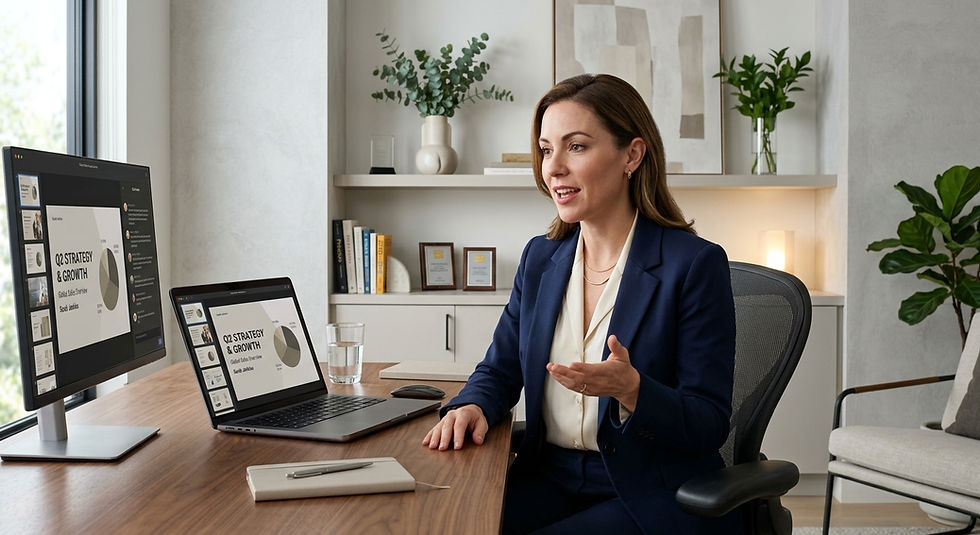
Online presentation voice training is a structured development process that helps professionals build the specific vocal skills required to communicate with authority, clarity, and genuine presence in virtual environments: video calls, online presentations, webinars, recorded updates, and hybrid meetings.
As a, Former Naval Officer and Executive Speaking Coach: "In person, your entire body communicates your authority: your posture, your movement, your eye contact, the energy you bring into a physical space.
Online, your audience has one channel: your voice. Everything your body was doing before, your voice must now do alone. That is why online communication requires double the vocal energy and most executives are delivering half."
Online voice coaching for executives focuses on exactly how you sound, not just what you say. This kind of coaching is not about turning you into a performer. It aligns your voice with the level of responsibility you already hold, soyour presence on calls, webinars, and in person meetings feels calm, clear, and compelling.
Online presentation voice training is different from generic public speaking training in one critical way: it is built for the specific acoustic, psychological, and perceptual dynamics of digital communication where microphones compress tone, latency disrupts rhythm, and the absence of physical presence makes every vocal signal carry three times its usual weight.
Why Your Voice Sounds Different Online And Why It Matters
Before we get into the techniques, you need to understand why the online environment is fundamentally different from a physical room because understanding the problem is what makes the solution work.
The Microphone Paradox
Microphones are incredibly efficient at picking up soft, low energy speech. Even if you are speaking with minimal breath support or resonance, the mic delivers your voice straight into your listener's headphones at a comfortable volume. As a result, you believe you are speaking with enough volume, when in reality you are not generating much acoustic energy at all.
This creates one of the most dangerous traps in virtual communication. You feel like you are projecting. You feel like your voice is present and authoritative. But your audience is hearing compressed, flat, low energy audio that signals exactly the opposite of what you intend.
The phrase "Zoom posture" has become understood for a reason. Biomechanics research shows that forward head posture, rounded shoulders, and collapsed ribs all reduce vocal efficiency, resonance, and airflow. Unfortunately, this is exactly the posture Zoom encourages.
The Monotone Effect
In a physical room, the natural variation in your speech the subtle changes in pace, pitch, and volume that happen without conscious thought helps your audience track which parts of your message matter most. Online, the compression and processing that microphones and speakers apply strips much of that natural variation away.
Audio compression and latency make long sentences harder to follow. Without deliberate vocal variety, everything blurs together into a flat, undifferentiated stream that the audience processes as background noise rather than foreground communication.
The result is that even a naturally engaging speaker can come across as monotonous and difficult to listen to in virtual environments simply because the acoustic stripping of digital transmission has removed the variation that made them engaging.
The Energy Translation Gap
The audience is the ultimate energy source in physical speaking. In virtual environments, that energy source is absent. The presenter must generate and sustain their own vocal energy without the natural feedback loop that a live audience provides.
When you speak to a room of people, their attention, their body language, and their collective energy actually feed back into your performance. You feel them. You respond to them. They lift you.
On a video call, you are speaking into a lens. There is no feedback. No lift. No energy return. And without deliberate training, most speakers' vocal energy drops 30 to 40 percent within the first ten minutes of a virtual presentation precisely when the stakes are highest.
The 5 Pillars of Virtual Vocal Presence
According to Me HALO System framework for executive communication, virtual vocal presence is built across five interconnected pillars. Weakness in any one pillar creates a gap that the other four cannot fully compensate for.
Pillar 1: Pacing The Foundation of Comprehension and Authority
Research links 190–210 words per minute to optimal persuasion in standard settings. However, for virtual environments where audio latency, compression, and listener fatigue are active factors a more deliberate pace of 130–150 words per minute consistently produces clearer comprehension and stronger perceived authority.
Fast speech in a virtual environment does not sound energetic. It sounds anxious. It produces clipped syllables, swallowed endings, and sentences that arrive in the listener's brain before the previous thought has been fully processed.
The deliberate pace does something the fast pace cannot: it gives the audience time to absorb each idea before the next one arrives. And that time those fractions of a second of processing space is what separates a presentation that is followed from a presentation that is endured.
Practical test: Record yourself speaking on your next call. Count the words in a 30-second segment and multiply by two. If you are above 170 words per minute in a virtual presentation, you are losing comprehension and with it, authority.
Pillar 2: Breath Support The Engine of Vocal Power
Five minutes of diaphragmatic breathing stimulates the parasympathetic nervous system before a presentation measurably reducing vocal tremor by 63% and increasing perceived confidence by 41% in executive populations studied.
Diaphragmatic breathing, breathing from the lower abdomen rather than the chest, is the physiological foundation of vocal power. It gives your voice its resonance, its steadiness, and its ability to maintain authority across a long call without fading.
Most executives in virtual meetings are chest breathing. Shallow, tense, high in the body. This produces the following vocal symptoms:
Voice fry the creaky, low energy sound that occurs when air support runs out at the end of sentences
Vocal fatigue the progressive loss of energy and clarity over the course of a long call
Upward inflection sentences that rise at the end, turning statements into questions and conviction into uncertainty
Tremor the slight shakiness under pressure that signals anxiety to any listener, however experienced the speaker
Diaphragmatic breathing, applied for five minutes before speaking, engages the parasympathetic nervous system, lowers cortisol, and provides the voice stability that in person speakers take for granted and virtual speakers must actively build.
Building confidence in your voice and your communication style starts with fundamentals explore the complete framework: Confident Speaking Methods How to Speak Confidently →
Pillar 3: Voice Modulation The Signal That Tells the Room What Matters
Voice modulation is the intentional adjustment of pitch, pace, volume, and tone to make a message clearer and more compelling. Research from Nielsen Norman Group shows that tone has measurable effects on how audiences perceive trustworthiness, credibility, and authority making modulation a direct driver of executive presence, not just a presentational nicety.
In virtual environments, modulation must be more deliberate not more extreme. The goal is not to sound theatrical. It is to consciously vary the three primary vocal levers that digital transmission strips away:
Pitch variation: Lower pitch signals authority and calm. Slightly higher pitch signals enthusiasm and engagement. A voice that never varies in pitch regardless of whether it is naturally high or low signals that nothing in the content is more important than anything else. Which means nothing lands.
Volume variation: Speak more softly to draw listeners in at key moments, and use increased intensity to signal importance. Microphone awareness is critical do not lean into the mic for emphasis, because the volume spike is jarring. Keep consistent distance from the microphone and use pitch and pace for variation instead.
Pace variation: Slow down deliberately, visibly on your most important points. Speed is for context and detail. Slow is for meaning.
Yale psychologist Michael Kraus found that people read emotions more accurately from voice alone than from faces or combined audio visual signals making your vocal tone a more honest and powerful signal than your words.
Pillar 4: Microphone Technique The Infrastructure of Vocal Authority
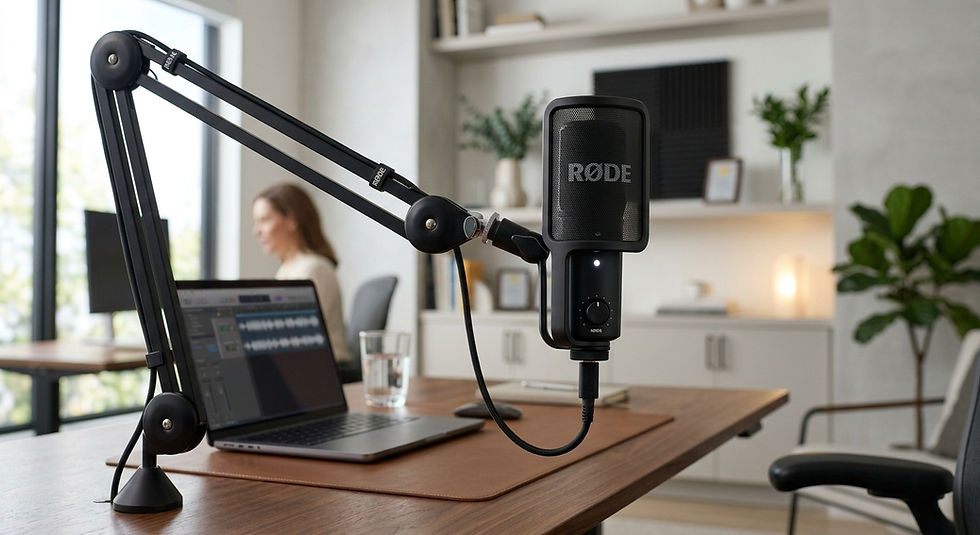
In the digital age, your audio quality is your presence. Built in computer microphones and standard wireless earbuds often compress your voice, making you sound distant or flat. This subconsciously undermines your authority before you have said a single word.
Microphone technique for executive virtual communication covers three specific areas:
Equipment: A dedicated external USB microphone or a professional quality headset creates the audio warmth and clarity that built in microphones cannot produce. This is not an optional upgrade for serious virtual communicators it is the difference between being perceived as prepared or unprepared.
Distance and position: Maintain a consistent distance from the microphone approximately 15 to 20 centimeters and keep it at a slight angle to prevent plosive sounds (the popping of P and B sounds). Small adjustments to microphone position can significantly improve vocal warmth and reduce the harshness that makes extended listening tiring.
Environment: Hard surfaces reflect sound and create reverberation that makes voices sound thin and distant. Speaking in a room with soft furnishings a sofa, curtains, carpet, bookshelves dramatically improves the acoustic environment your microphone captures.
Executive presence in virtual environments is one of the specific skills developed in our coaching programs: Enhance Your Leadership With Online Coaching →
Pillar 5: The Strategic Pause The Most Powerful Vocal Tool You Are Not Using
The Power Pause two to three seconds of deliberate silence after a key point boosts audience recall by approximately 20%. Keep filler words to one or two per minute and replace the rest with deliberate two second pauses that sound more authoritative than any word you could put in their place.
In virtual meetings, silence feels more extreme than in person. The temptation to fill it with "um," "so," "you know," "basically" is stronger because the absence of visible audience response makes the silence feel more threatening.
This is exactly backwards from what the evidence shows.
The speaker who pauses deliberately, comfortably, without rushing to fill the space communicates to the audience that they are in complete control of the moment. That they are thinking, not panicking. That what they are about to say was worth waiting a beat for.
As executive coach: "The pause is the most underutilized tool in virtual communication. When a leader pauses on a video call, the room leans in. Every other participant wonders: what is coming next? That anticipation is attention. And attention is the one thing every virtual presenter is fighting for."

Your 5-Minute Virtual Vocal Warm-Up Routine
According to proven vocal coaching protocols HALO System, this warm-up done five minutes before any significant virtual presentation or call produces measurable improvements in vocal clarity, confidence, and authority from the first sentence.
Do this routine before every high stakes virtual call:
Step 1: Diaphragmatic Breathing (90 seconds). Place one hand on your chest and one on your lower abdomen. Breathe in slowly through your nose for a count of four. Your lower hand should rise. Your chest hand should stay relatively still. Hold for two counts. Exhale slowly through pursed lips for a count of six. Repeat six times. This activates the parasympathetic nervous system and gives your voice its physiological foundation.
Step 2: Lip Trills (30 seconds). Press your lips together loosely and blow air through them to create a vibrating trill like a motorboat sound. Do this on a single pitch for ten seconds, then slide the pitch from low to high and back down again. This releases tension in the lips and jaw, warms up the resonators, and prepares the mouth for clear articulation.
Step 3: Pitch Slides (30 seconds) Hum a comfortable note. Then slide your pitch up as high as feels comfortable, and back down to as low as feels natural like a siren. Do this three times. This warms the entire vocal range and trains the voice to modulate smoothly rather than jumping between registers.
Step 4: Articulation Drill (60 seconds) Speak the following phrase at medium pace, then fast, then medium again focusing on crisp, precise consonants: "Unique New York, unique New York, you know you need unique New York." Then: "Red leather, yellow leather, red leather, yellow leather." These drills sharpen articulation and eliminate the muddy consonants that make virtual speech harder to follow.
Step 5: Power Statement (30 seconds). Stand up. Assume your best posture shoulders back, chest open, feet hip width apart. Take one diaphragmatic breath. Then deliver your opening statement for the upcoming call out loud, at full energy to the empty room. Say it once at 80% pace. Then once more at your ideal pace. Notice how different your voice feels when your body is fully engaged.
Step 6: Parasympathetic Reset (30 seconds) Inhale for four counts. Hold for four. Exhale for eight. Do this twice. This final breath pattern is the signal to your nervous system that the preparation is complete and that the calm authority you just built is the state you are carrying into the call.
Applied consistently, this protocol shows measurable improvements in vocal confidence markers. Executive populations who followed this routine showed a 41% decrease in filler words and a 37% increase in perceived authority after consistent practice.
Voice Modulation for Corporate Leaders A Practical Reference
Vocal Element | Common Virtual Mistake | The Correction | The Result |
Pace | Speaking too fast (170+ WPM) | 130–150 WPM with deliberate pauses | Clearer comprehension, stronger authority |
Pitch | Monotone or upward inflection | Vary pitch; land statements down | Conviction, credibility, engagement |
Volume | Too consistent or too soft | Vary for emphasis; never lean into mic | Audience attention at key moments |
Pause | Filler words in every gap | 2-second deliberate pause | Perceived composure and intelligence |
Articulation | Swallowed endings, rushed consonants | Crisp, complete, intentional syllables | Clarity, professionalism |
Breath | Chest breathing, voice fry | Diaphragmatic breath support | Resonance, endurance, confidence |

How to Sound Confident on Zoom: The 7 Non Negotiables
These seven behaviors separate virtual speakers who command attention from those who lose it.
1. Look into the lens, not at the faces. This is the single most important thing in virtual communication. Eye contact on a video call is created by looking directly into the camera lens not at the faces of your audience on the screen. Looking at their faces while you speak creates the impression of avoidance, not engagement.
2. Sit or stand with your full physical support engaged. Standing automatically promotes better breath support, resonance, and projection. Even sitting at the edge of your chair with your feet flat on the floor and your spine upright dramatically improves vocal quality compared to a slumped, reclined position.
3. Open every virtual presentation with a slow, deliberate first sentence. The opening thirty seconds set the vocal tone for the entire call. If you rush through them as most speakers do out of nervous energy you establish pace anxiety as the default. Begin slower than you think you need to.
4. Name your key points explicitly. Without the visual anchoring cues of a physical room, virtual audiences need explicit verbal signposting: "There are three things I want to cover. The first is..." This is not simplistic it is the architecture that keeps a virtual audience oriented.
5. Use shorter sentences than you would in person. Audio compression and latency make long sentences harder to follow. Keep phrases punchy and pause more frequently. One idea per sentence is not simplicity it is consideration for how digital transmission works.
6. Smile before you speak. Not during before. The physical act of smiling changes the resonance of your vocal tract and produces a warmer, more open tone that listeners perceive as confident and approachable rather than tense and closed.
7. End your sentences downward. Uptalk the rising intonation at the end of statements makes declarations sound like questions. Falling intonation signals conviction. This single vocal habit, changed consistently, has more impact on perceived authority than almost any other single adjustment.
These principles apply equally to in person leadership and keynote speaking explore how the vocal skills connect across contexts: Keynote Speaker vs Guest Speaker The Communication Skills That Separate Them →
Executive Voice Coaching for Virtual Presentations What Coaching Actually Changes
Reading this article will give you the framework. Coaching gives you the transformation.
Online voice coaching for executives is one to one coaching that helps senior professionals improve clarity, vocal presence, pacing, and communication habits in the settings where they actually work including video calls, presentations, and hybrid meetings. It is not about generic presentation tips. It is about working directly on how you sound: your tone, pace, clarity, resonance, and vocal stamina.
The gap between understanding these principles and having them internalized automatic, available under real pressure, present in the moments that define your leadership reputation is exactly what coaching closes.
The coaching process works on how you project confidence and authority through your vocal habits, so your voice consistently matches the level of leadership you hold.
What changes in a structured executive voice coaching engagement:
Your voice stops fading at the end of important sentences the ideas that matter most land with the weight they deserve
Your pace becomes a tool, not a reflex you slow where it matters and move where it serves
Your pauses become deliberate signal, not silence
Your filler words decrease measurably creating the impression of prepared authority rather than improvised uncertainty
Your articulation sharpens so your audience can follow you without effort
Your vocal stamina builds so the fifteenth Zoom call of the week sounds as present and authoritative as the first
Leadership impact in the virtual world requires specific communication development. See how it fits into a complete coaching framework: Leadership Impact Coaching Services →
And if you lead remote or distributed teams where every interaction happens through a screen: Effective Leadership Styles for Remote Teams →
FAQ: Online Presentation Voice Training
Q: What is online presentation voice training?
Online presentation voice training is a structured coaching process that helps professionals develop the specific vocal skills required for virtual environments including pacing, breath support, voice modulation, microphone technique, and the strategic use of pause so they communicate with authority and clarity on video calls and online presentations.
Q: How can I improve my voice for online presentations?
Start with three immediate changes: slow your pace to 130–150 words per minute, use diaphragmatic breathing before every significant call, and eliminate upward inflection at the end of statements. These three adjustments alone produce a measurable shift in how your voice is perceived within the first week of consistent practice. Add the 5-minute warm-up routine in this article for accelerated results.
Q: How do I sound more confident on Zoom?
Look into the camera lens rather than at the screen, begin every call slower than feels natural, use deliberate pauses instead of filler words, and sit or stand with your full physical support engaged. Your posture directly affects your vocal quality and your vocal quality directly affects how the room perceives your confidence and authority.
Q: What is the ideal speaking pace for virtual presentations?
Research supports 130–150 words per minute for virtual presentations where comprehension and authority are the primary goals. Test yourself by recording a 30-second segment, counting the words, and multiplying by two. Most anxious virtual speakers are well above 170 words per minute which is where comprehension and perceived authority both decline.
Q: What is voice modulation for executives?
Voice modulation for executives is the intentional variation of pitch, pace, volume, and tone to communicate authority, credibility, and emotional range in professional settings. In virtual environments specifically, it requires more deliberate effort than in person communication because digital audio compression removes the natural variation that physical speaking environments preserve automatically.
Q: Can voice training help with virtual meeting fatigue?
Yes significantly. Much of the fatigue associated with virtual meetings comes from the vocal and cognitive effort of trying to communicate through a medium that strips away natural communication signals. Proper breath support, deliberate pacing, and structured pausing reduce the physical effort of virtual speaking, extend vocal stamina across a long day of calls, and decrease the mental load of managing communication through a screen.
Q: How long does it take to improve virtual vocal presence?
The 5-minute warm up routine in this article produces noticeable results from the first session. The research cited above shows measurable improvements in perceived authority and filler word reduction within two to four weeks of consistent practice. Full internalization the point where these skills hold automatically under real pressure typically develops over six to twelve weeks of structured, coached practice.

The Voice That Commands the Room Has Never Been More Important
Here is the truth that most people working in hybrid and virtual environments have not fully accepted yet.
Your digital communication is now your leadership reputation.
Not occasionally. Not in certain meetings. In every call. Every recorded update. Every virtual presentation. Every Zoom that your team, your stakeholders, or your senior leaders attend.
The impression your voice creates in those moments compounds. A leader whose voice signals authority, clarity, and genuine presence builds a reputation that opens doors, earns trust, and creates the kind of influence that title alone cannot manufacture.
A leader whose voice signals anxiety, uncertainty, or low energy however capable they actually are creates the opposite impression. Quietly. Cumulatively. In rooms they may not even realize are evaluating them.
On a ship, a leader's voice is the bridge between command and action if it lacks authority under pressure, people hesitate. In a boardroom or on a video screen, the dynamic is identical. Your voice is not a decoration for your ideas; it is the vehicle that determines whether those ideas arrive with the weight they deserve.
The good news is that this is entirely learnable. Entirely trainable. And entirely within reach starting with the five minute routine in this article, and accelerating dramatically with the right coaching support.
The leadership lessons that shaped this coaching philosophy and the vocal principles behind them: 10 Leadership Lessons Learned as an Officer at Sea →
If coaching for women's leadership communication and voice is what you are looking for: Life Coaches for Women Communication Authority and Confidence →
Ready to Build the Virtual Vocal Presence That Commands Every Room You Enter Online or Off?
Whether you are preparing for a high stakes board presentation, building the communication habits that will define your leadership reputation in 2026, or managing a remote team where every word through a microphone either builds or erodes trust the next step is a real conversation.
In thirty focused minutes, we identify exactly where your virtual vocal presence is leaving authority on the table and the most direct coaching path to closing that gap before your next critical moment.
For organizations that want to develop executive vocal presence and virtual communication authority across leadership teams tailored programs available for groups, teams, and company wide deployment.



Comments